Switched to Mac? Frustrated with Finder?
Switched to Mac? Frustrated with Finder?
Switched to Mac? Frustrated with Finder?
The Windows Explorer experience you love – but better.
The Windows Explorer experience you love – but better.
The Windows Explorer experience you love – but better.
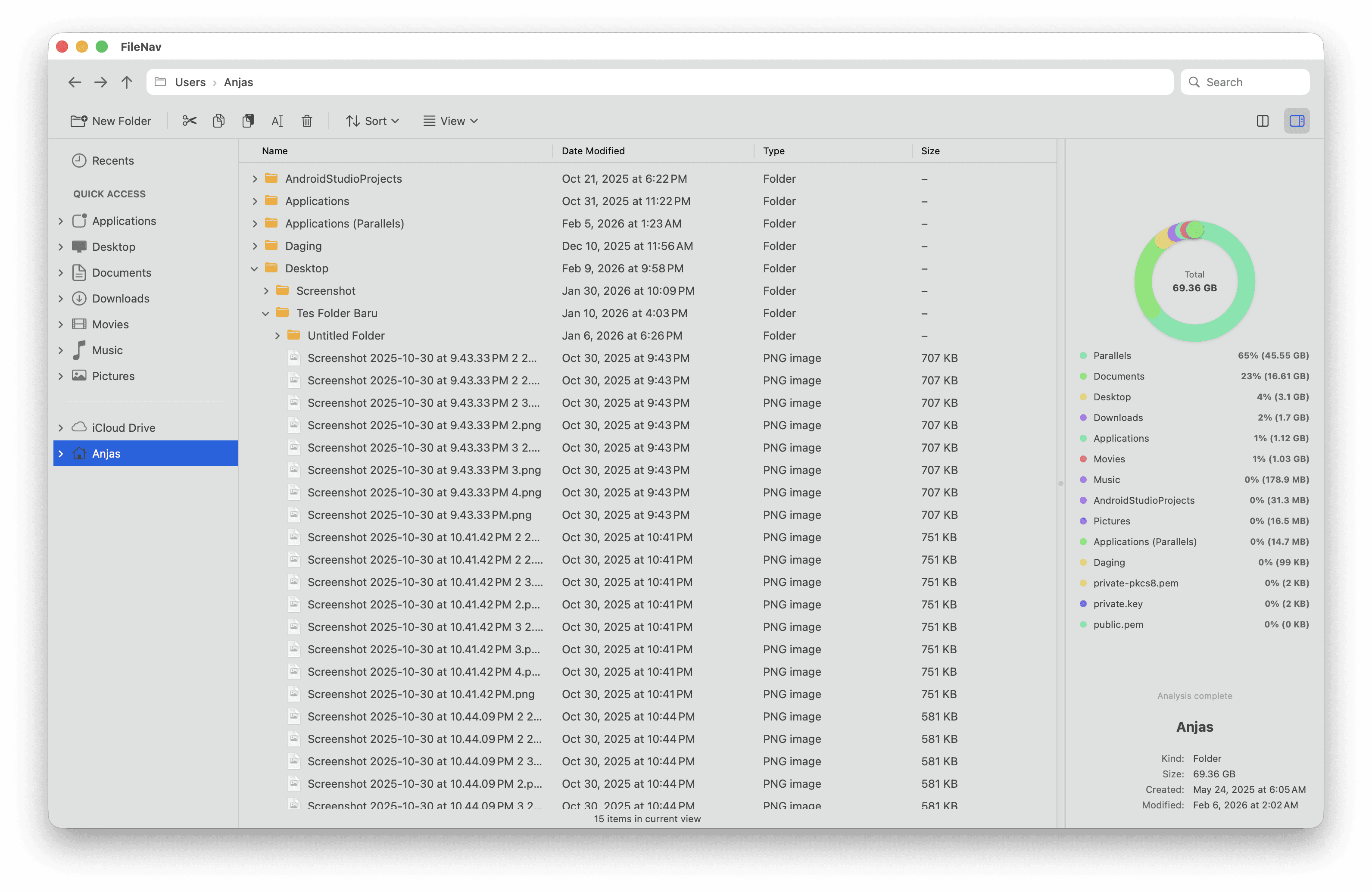
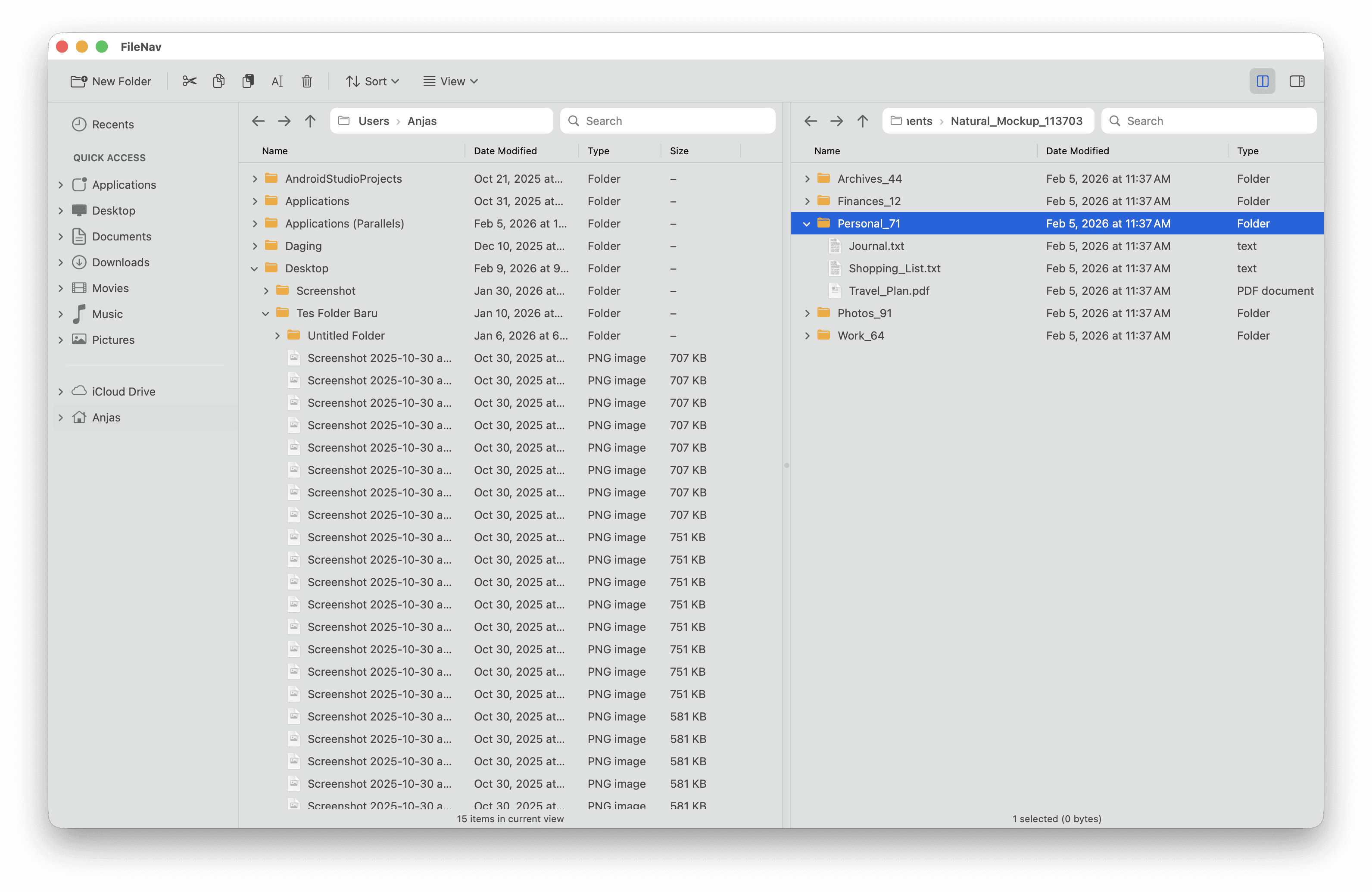
Your familiar copy-paste, renaming, enter to open, right-click menus, shortcuts, and everything your muscle memory expects. Plus dual-pane browsing, folder tree-view, and disk visualizer for your convenience
Your familiar copy-paste, renaming, enter to open, right-click menus, shortcuts, and everything your muscle memory expects. Plus dual-pane browsing, folder tree-view, and disk visualizer for your convenience
Your familiar copy-paste, renaming, enter to open, right-click menus, shortcuts, and everything your muscle memory expects. Plus dual-pane browsing, folder tree-view, and disk visualizer for your convenience
Free to try • macOS 12+ required
Free to try • macOS 12+ required
Your Muscle Memory, Respected
Your Muscle Memory,
Respected
Switching to Mac shouldn't mean relearning how to manage files. Filenav honors the keyboard shortcuts and interactions you've built over years of Windows use.
Switching to Mac shouldn't mean relearning how to manage files. Filenav honors the keyboard shortcuts and interactions you've built over years of Windows use.
Switching to Mac shouldn't mean relearning how to manage files. Filenav honors the keyboard shortcuts and interactions you've built over years of Windows use.
Enter key opens files & folders
Enter key opens files & folders
Enter key opens files & folders
Ctrl+C, Ctrl+V just works
Ctrl+C, Ctrl+V just works
Ctrl+C, Ctrl+V just works
Editable address bar like Windows
Editable address bar like Windows
Editable address bar like Windows
F2 to rename instantly
F2 to rename instantly
F2 to rename instantly
Delete key moves to trash
Delete key moves to trash
Delete key moves to trash
Right-click context menus
Right-click context menus
Right-click context menus
Familiar Shortcuts
Familiar Shortcuts
Works exactly like Windows Explorer
Works exactly like Windows Explorer
Works exactly like Windows Explorer
Instantly Familiar
Instantly Familiar
Same layout you've mastered for years
Same layout you've mastered for years
Same layout you've mastered for years
Zero Learning Curve
Zero Learning Curve
Start being productive from day one. No need to unlearn years of muscle memory or adapt to macOS conventions that feel foreign.
Start being productive from day one. No need to unlearn years of muscle memory or adapt to macOS conventions that feel foreign.
Start being productive from day one. No need to unlearn years of muscle memory or adapt to macOS conventions that feel foreign.
Old Habits, Supercharged
Old Habits, Supercharged