Windows Explorer for Mac
New Mac, same hands. FileNav opens files with Enter, renames with F2, cuts with ⌘X, and gives you back the folder tree and address bar Finder left out.
No credit card · One-time payment, no subscription · macOS 12.4+ · Apple Silicon & Intel
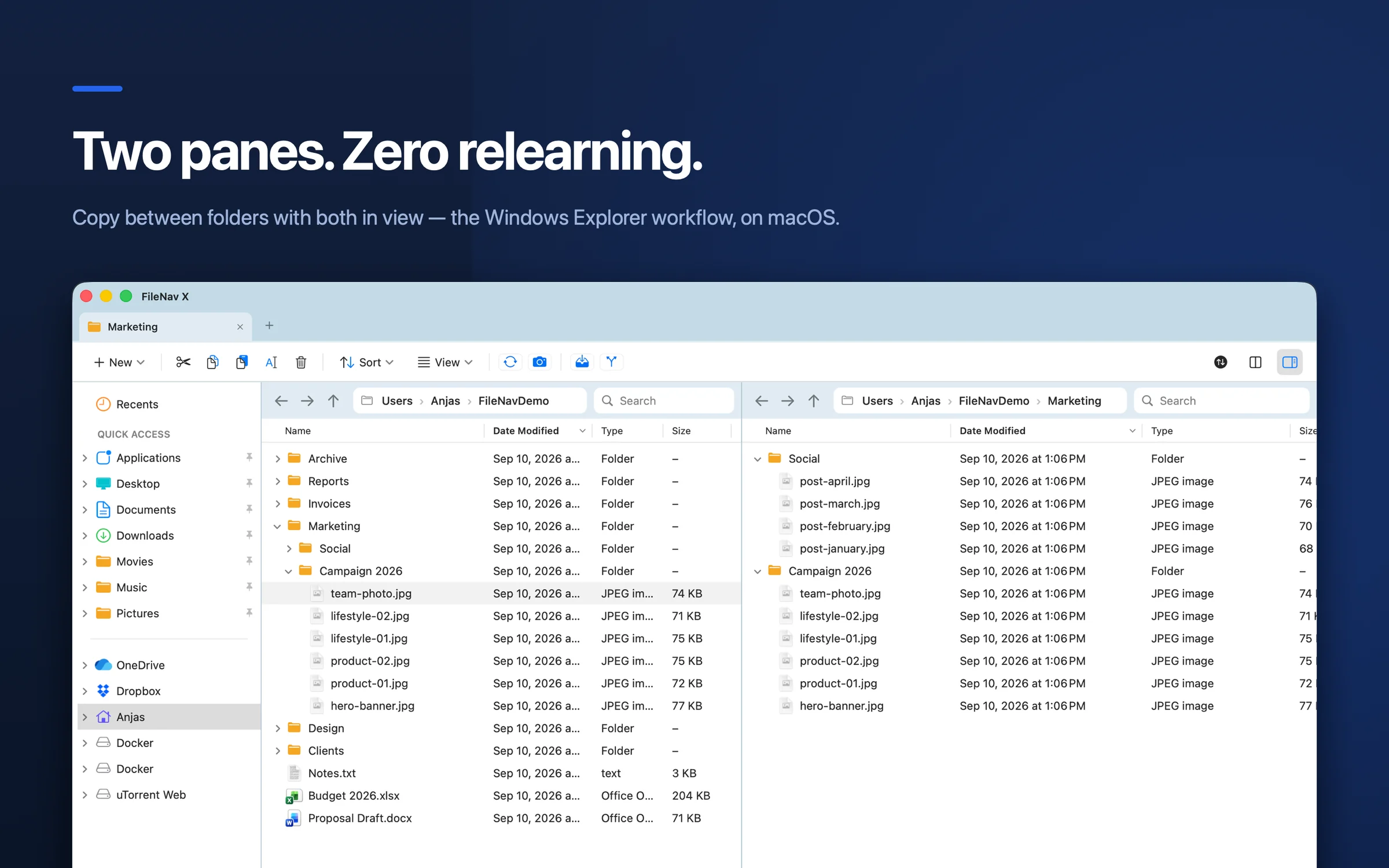
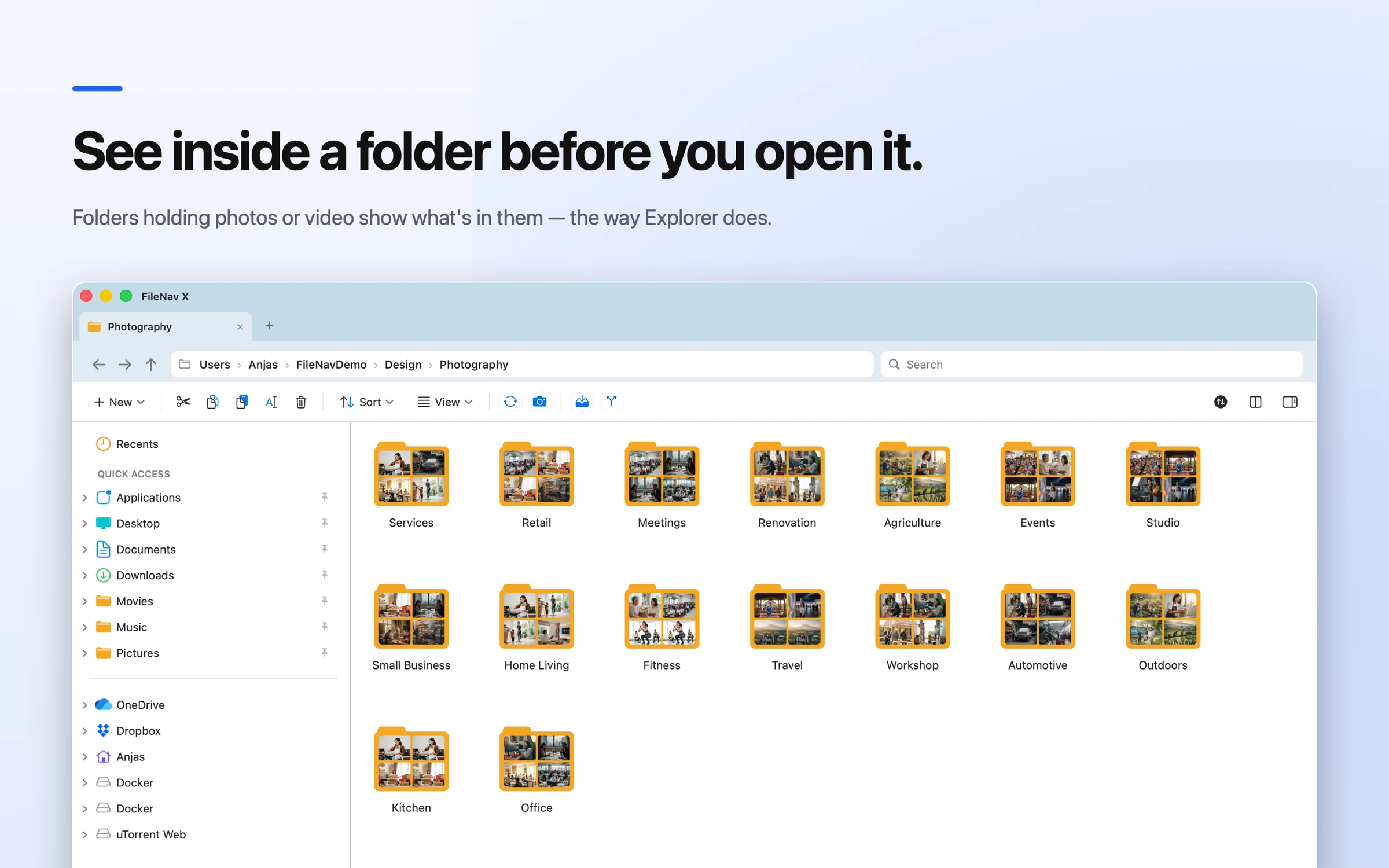
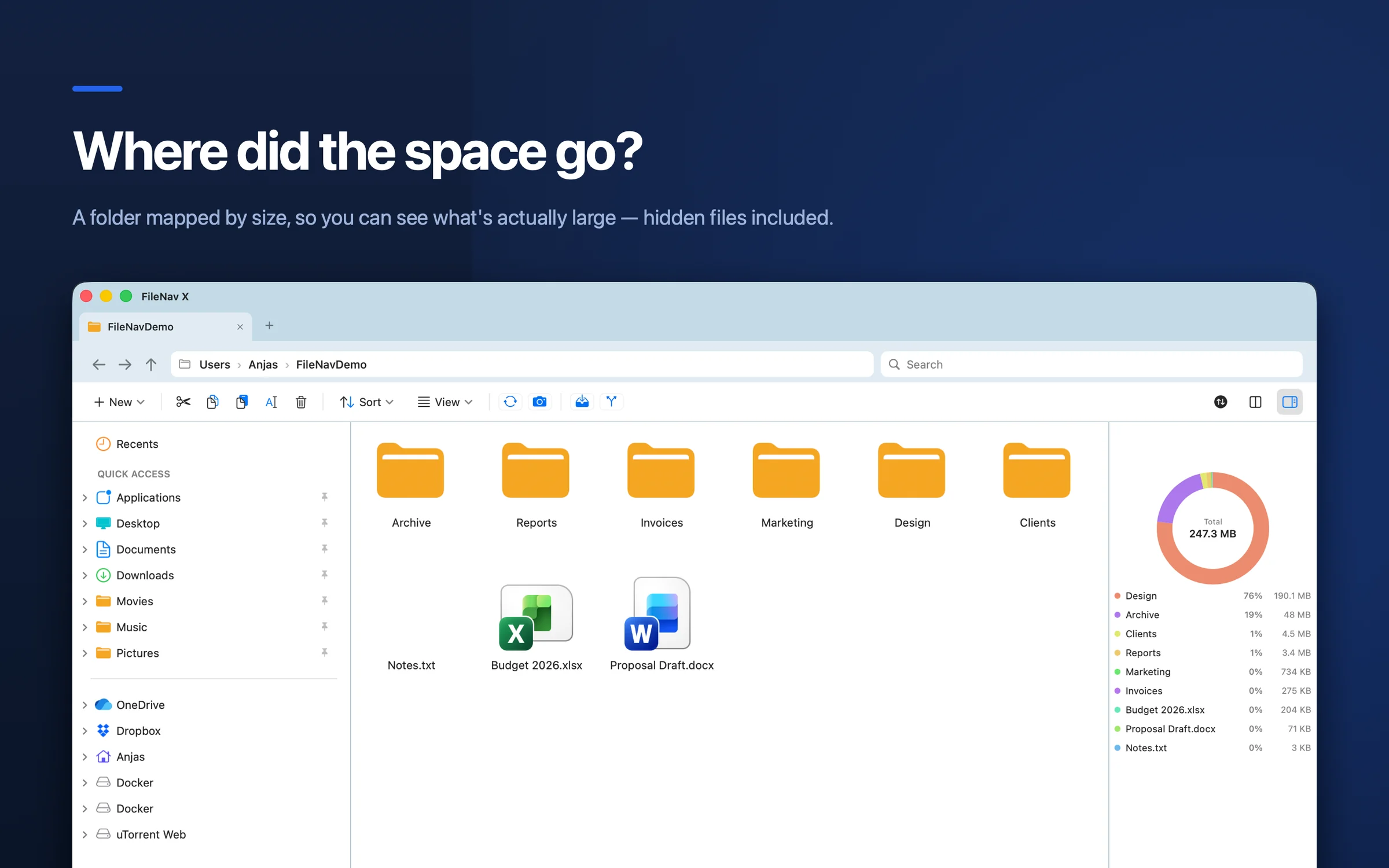
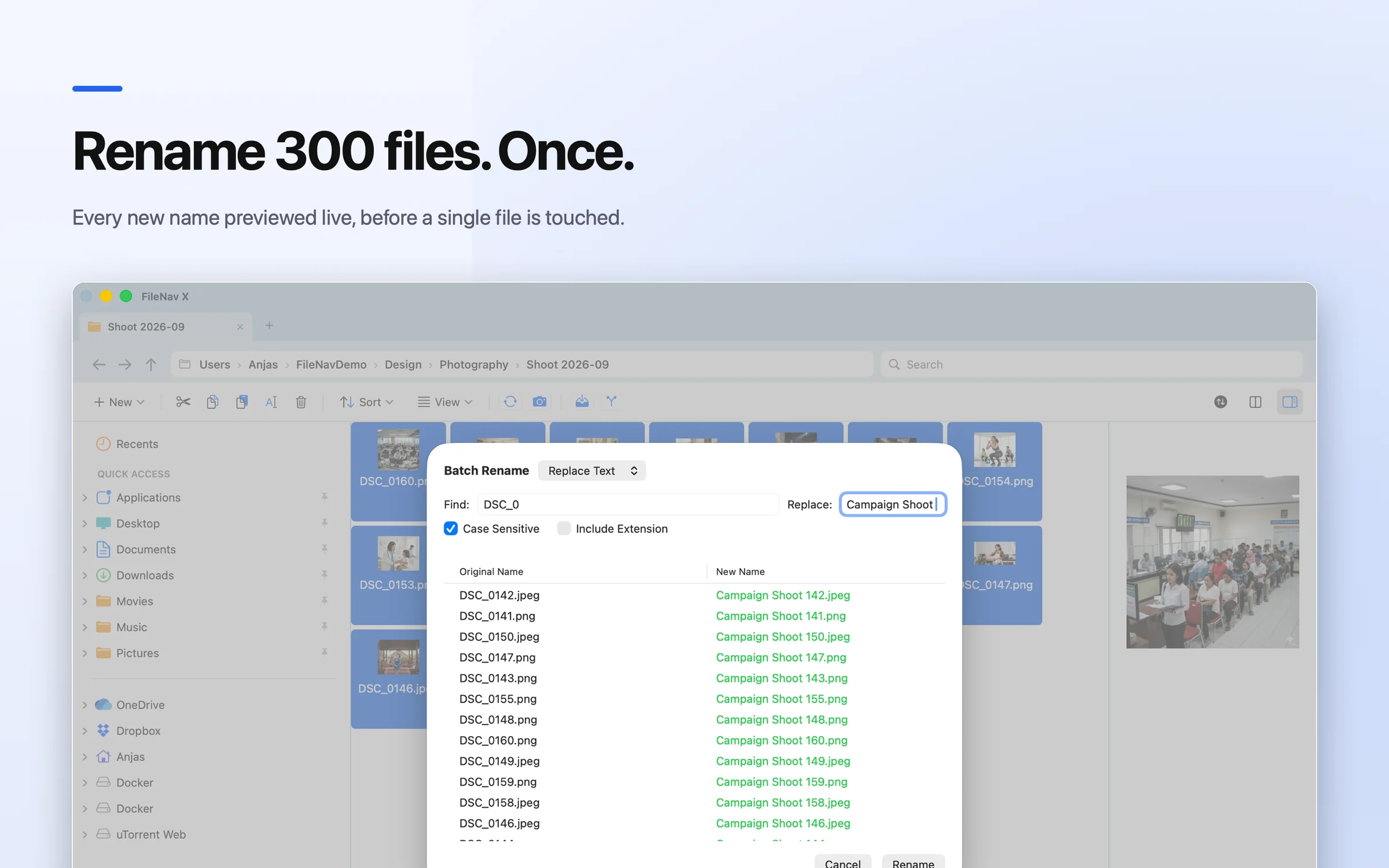
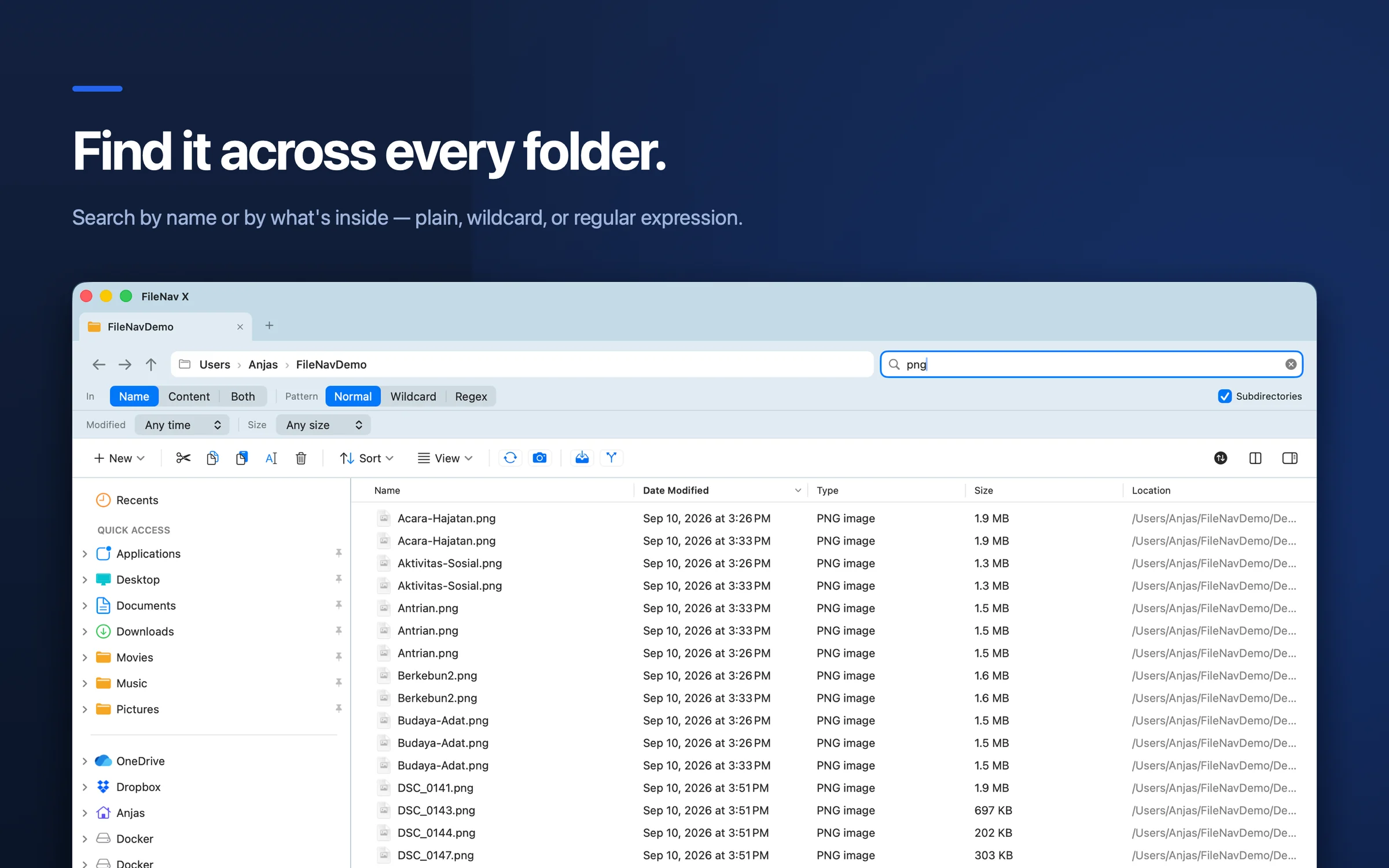
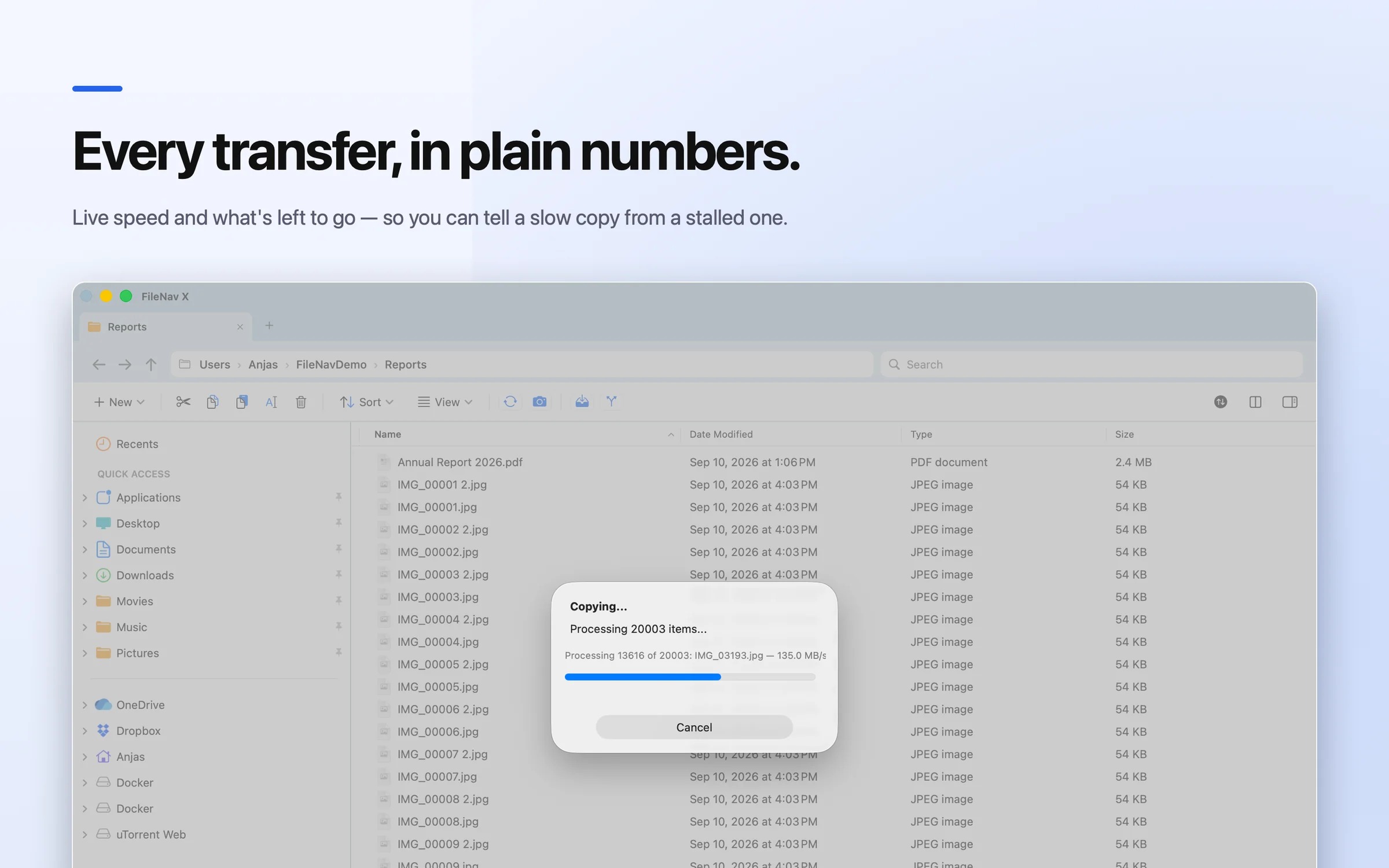
Dual-pane browsing — the Windows Explorer workflow on macOS
Your Windows habits, kept
The reflexes Finder fights, and what happens in FileNav instead.
| What you do on Windows | Finder | FileNav |
|---|---|---|
| Press Enter to open | Enter renames the file | ✓ Enter opens it |
| F2 to rename | Not a rename shortcut | ✓ F2 renames |
| Cut & paste files (Ctrl+X) | No cut — hidden ⌘C then ⌥⌘V | ✓ ⌘X / ⌘V, or right-click → Cut |
| Delete key sends to trash | Needs ⌘⌫ | ✓ Delete moves to Trash |
| Type a path in the address bar | Only the ⇧⌘G dialog | ✓ Editable address bar |
| Folder tree on the left | Favorites list only | ✓ Full expandable tree |
| Right-click → New → Text Document | Not in the menu | ✓ Right-click → New, anywhere |
It looks like what you left behind
No week of relearning. Open it and you already know where everything is.
The folder tree you remember
Your whole drive in an expandable sidebar, exactly where Explorer kept it — not a short list of favorites.
An address bar you can type in
Click the breadcrumb, paste a path, press Enter. Or click any segment to jump up a level.
Two panes, side by side
Source on the left, destination on the right. Drag between them instead of juggling Finder windows.
Right-click menus that do things
Cut, copy, paste, new folder, new text file, compress — where your hand already goes.
Plus what Explorer never had: a drill-down disk visualizer, batch rename with live preview, folder comparison and checksums. See all features →
What FileNav can't change
FileNav replaces Finder for file work — browsing, moving, renaming, previewing, searching. It doesn't change macOS itself: Mission Control, Spotlight and the system save dialog still behave the Mac way.
We wrote up which switcher complaints FileNav fixes, which are on our list, and which are Apple's. Read the honest tally →
Switcher questions
Is there a Windows Explorer for Mac?
Microsoft doesn't make File Explorer for macOS. FileNav is a native Mac file manager built to work like it: Enter opens, F2 renames, cut and paste work, and there's a folder tree and an editable address bar.
Does FileNav replace Finder?
It runs alongside Finder rather than removing it. Use FileNav for browsing, moving, renaming and organizing files; macOS keeps using Finder for the desktop and system dialogs.
Do I have to use Ctrl or Cmd?
Cmd. On a Mac, Cmd sits where your thumb expects Ctrl, so Ctrl+C becomes ⌘C and Ctrl+X becomes ⌘X. The keys that don't need a modifier — Enter, F2, Delete — behave exactly as on Windows.
I used a two-pane file manager on Windows. Is this similar?
Yes. FileNav has dual-pane browsing with tabs, batch rename, folder comparison and checksums, so people coming from Windows two-pane file managers have the layout they're used to.
How much does it cost?
FileNav is a one-time payment of $14.99 (FileNav Pro is $29.99), no subscription. The 14-day free trial includes every Pro feature and needs no credit card.
Which Macs does it run on?
Apple Silicon and Intel Macs running macOS 12.4 (Monterey) or later.
Make your Mac feel like home
Every feature free for 14 days. No account, no credit card.